User Manual
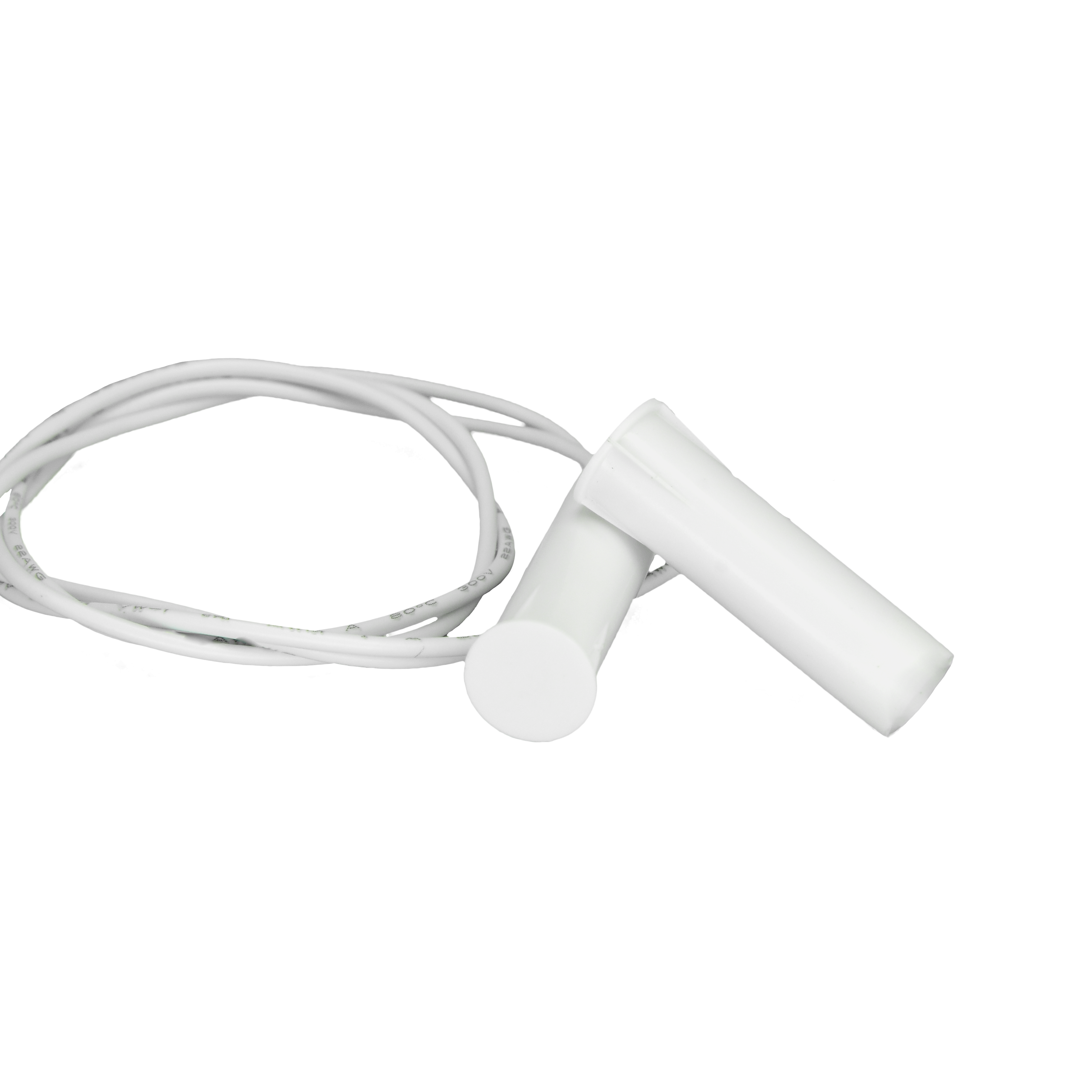
Magnetic sensor embedded for windows
SKU: PP-SNS-MSEW
The PIERRE Pro Magnetic sensor embedded for windows is a flush-mounted reed contact that reports whether a window is open or closed. Normally-closed, 12 V DC, wired back to a PIERRE controller input.
The PIERRE wired contact sensor reports whether a door or window is open or closed. It has two parts — a sensor unit and a magnet — and detects the state from the magnetic field between them.
The wired sensor keeps a continuous connection to the controller and never needs a battery, which makes it the better choice where the frame is accessible during the first fix. Where cabling is not possible, the wireless version provides the same function.
Wired. Needs a PIERRE PRO or LITE Controller with a free input, plus the Magnetic sensor embedded for windows. The sensor takes 12 V from the controller.
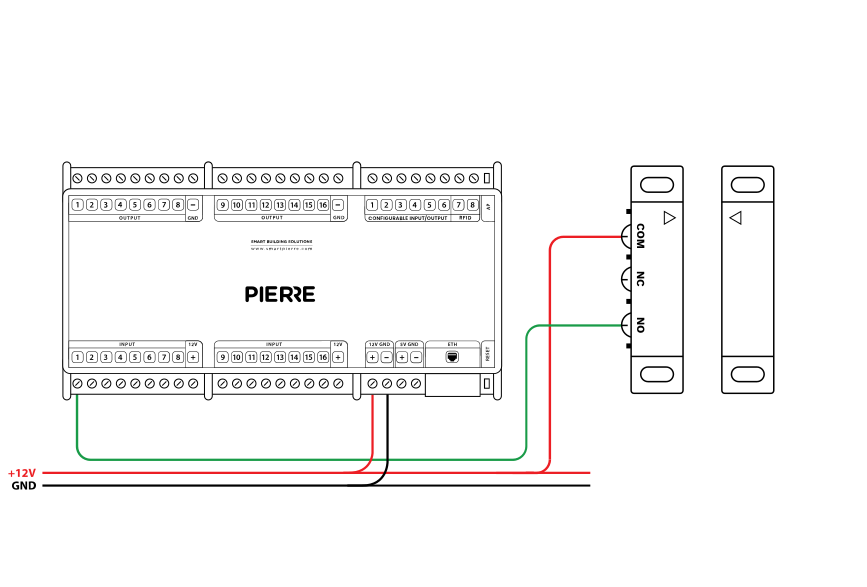
Wiring PIERRE Contact sensor — electric scheme
| Run | Wires | Cross-section | Cable type | Conductors |
|---|---|---|---|---|
| From Contact sensor to PIERRE Controller | 2 | 0.2 mm² (24 AWG) | Cat 5e U/UTP | +12 V, INPUT |
Check that the sensor has been added to the configuration in the PIERRE Partner application.
A newly added sensor needs a state change before it reports. Open and close the door or window once.
It must be connected to 12 V and a PIERRE input as shown in the wiring diagram. To find out whether the fault is in the sensor or in the cable, briefly bridge 12 V to the PIERRE input the sensor uses. If the dot turns green in the app, the fault is the sensor or a broken wire.
If one input influences an output, both should be added to the same controller. A motion sensor triggering a lamp, for example, performs best when both sit on the same controller.
PIERRE Pro contact sensors are installed during construction, because they need wiring in the frame or wall. PIERRE Wave contact sensors are wireless and can be added later.
Sensor and magnet must be aligned when the door or window is closed. On windows, placing the sensor at the top lets it detect a tilted window as open.
Each sensor is wired individually back to the PIERRE cabinet in a star pattern. INPUT 12–24 V takes 12 V DC from the controller, GND takes ground from the controller, switch terminal K1 (IN) is bridged to INPUT 12–24 V, and switch terminal K2 (OUT) goes to the input on the controller.