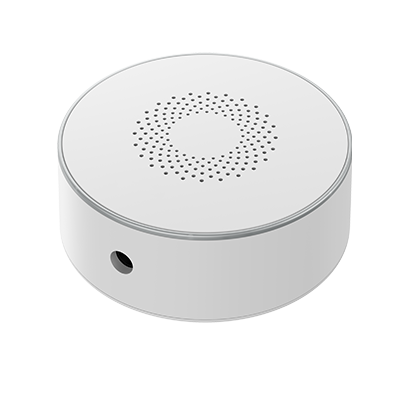
PIERRE Wave - Indoor Siren (12V adapter)
User Manual

PIERRE Wave - Indoor Siren (12V adapter)

SKU: PW-ACT-SIREN

1. Product Description

The PIERRE Wave Indoor Siren is a wireless sound and flash alarm for indoor use. It connects to a PIERRE Wave (Zigbee 3.0, 2.4 GHz) network and is powered from the 12 V power adapter. When it is triggered, the buzzer sounds and the red LED ring flashes.
Parts

  1. LED indicator (red ring)
  2. Buzzer
  3. Volume + and volume - buttons
  4. Anti-tamper switch
  5. OFF/ON button
  6. Power input
  7. Mounting base

2. System requirements

Image

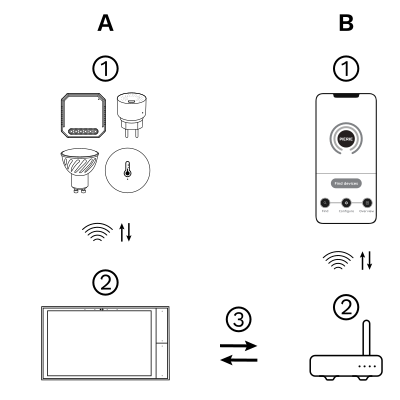
The PIERRE Wave (Zigbee 3.0, 2.4 GHz) system consists of the following components.

Required

  1. PIERRE Wave products: switches, modules, sensors, thermostats and other devices. They connect wirelessly to the gateway.
  2. Gateway: a PIERRE display and/or gateway. It links all PIERRE Wave devices and handles the communication with the app.

Optional

  1. Smart PIERRE app: control and monitoring from a smartphone or tablet. Not required for basic operation.
  2. Router: gives the gateway internet access for remote control.

Operation: the gateway connects to the router by Wi-Fi or LAN. PIERRE Wave products communicate wirelessly with the gateway in both directions: commands are sent and status updates are received through the Smart PIERRE app.

What you need

  • A PIERRE display and/or gateway for the PIERRE Wave (Zigbee 3.0, 2.4 GHz) network.
  • The 12 V power adapter and a mains socket within reach of the mounting position.
  • Screws and expansion tubes, or the 3M sticker, for the mounting base.
  • The Smart PIERRE app for pairing and configuration.

3. Technical Specification

Technical Specifications

Electrical

Power Supply DC 12V

Connectivity

Connectivity Zigbee
Communication Frequency 2.4GHz
Protocol Zigbee

Features

Alarm Sound ≥85dB (3m)
Operation Range 80 m

4. Installation and placement

Placement

  • Indoor use only.
  • Mount the siren on a smooth, stable surface such as tile, a gypsum wall or painted wood.
  • Reinforced concrete and similar building materials reduce the wireless range. Keep the siren within range of the gateway or of another mains-powered PIERRE Wave device.

Installation

  1. Pair the siren with the gateway first (see App-to-Device Pairing), while it is still within easy reach.
  2. Rotate the mounting base counterclockwise to remove it from the siren.
  3. Fix the mounting base to the wall with the expansion tubes and screws, or with the 3M sticker. If you use the sticker, clean the surface first so that the siren cannot fall off.
  4. Rotate the siren clockwise onto the mounting base until it locks.
  5. Connect the siren to the 12 V power adapter.

The anti-tamper switch is pressed in by the mounting base. Once the siren is in operation, removing it from the base triggers the alarm.
5. App-to-Device Pairing

Image

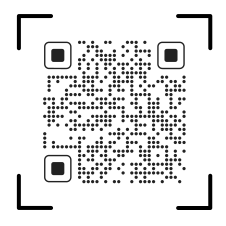
Scan the QR code to download the Smart PIERRE app.
Image

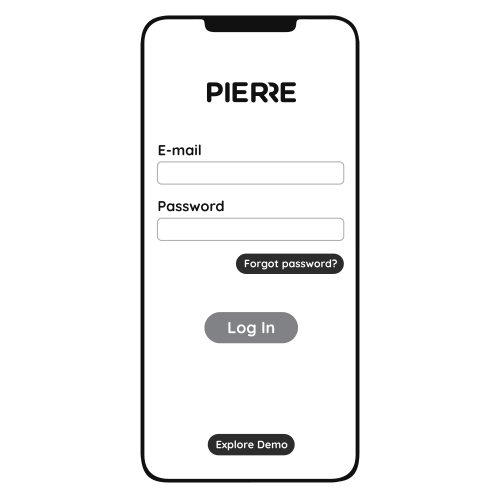
Log in with your username and password.
Image

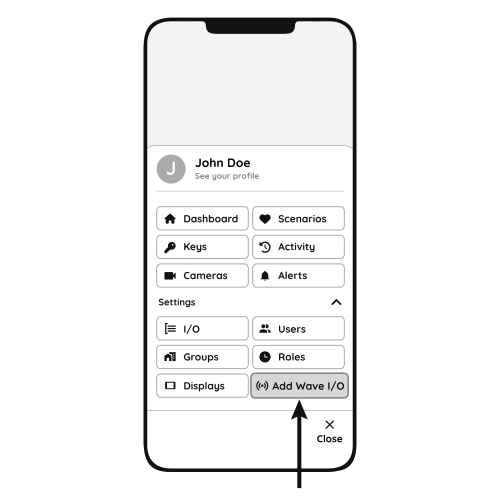
Open Settings and press "Add Wave I/O"

Power the siren from the 12 V power adapter. Press and hold the volume + and volume - buttons together for 5 seconds, until the red LED lights, then release them. The LED starts flashing: the siren is in pairing mode.
Image

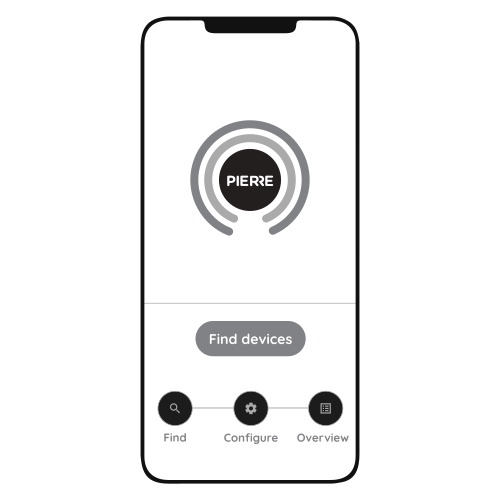
Press "Find Devices".

The Smart PIERRE app shows the list of available devices. Press "Add found devices", enter the Name, Role and Group settings and save.

When pairing succeeds, the LED stays on for 3 seconds and then goes off. If the LED goes from flashing to off without the 3-second light, pairing has timed out: repeat the button press and search again.

6. LED indicator description

Status LED indicator Buzzer
Power on On for 3 seconds Beeps twice
Power off - Beeps once
Pairing mode Flashing -
Pairing successful On for 3 seconds, then off -
Pairing timed out Changes from flashing to off -
Alarm Flashing Sounds
Low voltage Flashes every 20 seconds -

7. Operation and maintenance

Alarm

  • The siren is added to the Smart PIERRE app as a siren. The conditions that trigger it, for example a door and window contact or a motion sensor, are set in the app.
  • While the alarm is active, the LED ring flashes and the buzzer sounds.

Volume

  • While the siren is sounding, press the volume + or volume - button to adjust the volume.

Anti-tamper

  • If the siren is removed from its mounting base, it alarms.
  • To stop a tamper alarm, press the anti-tamper switch three times.

Maintenance

  • Clean the housing with a dry cloth. Do not use water or solvents.
  • Test the siren after installation and at regular intervals.