Gas Detector
User Manual

Gas Detector

SKU: PW-SNS-GAS

1. Product Size

Image

H1: 55 mm

H2: 30 mm

Image

W: 48 mm

2. Product Description

Image
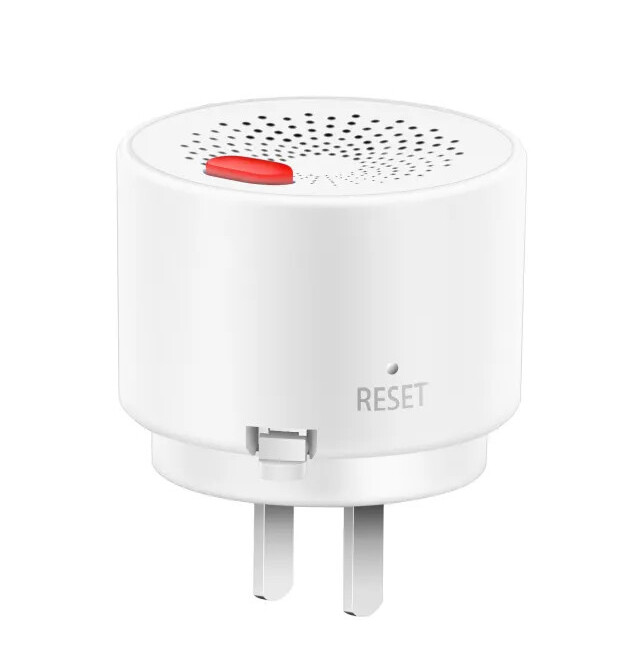
  1. Testing Button
  2. Gas convection holes
  3. Reset Button
  4. Power Adapter

3. Technical Specification

Technical Specifications

Connectivity

Connectivity Zigbee
Communication Frequency 2.4GHz - 2.484GHz

Environmental

Operating Temperature +32°F - +131 °F
Operating Temperature (°C) -10 - +55
Operating Humidity <95 % RH

Electrical

Power Supply 230V AC 50-60Hz
Power Consumption 1.50 W

Sensors

Built-in Sensors CH4 (Methane), CO (Carbon Monoxide), Biogas

Features

LED Indicators Yes

Physical

Product Color White

4. Indicator Status

Status Color Indicator Alarm Sound
Power Green Solid on None
Alarm Red Flashing Repeated beeping
Malfunction Blue Solid on Single Beep
Successful Connection Green Solid on None
Unsuccessful Connection Yellow Flashing None

5. System Requirements

Image

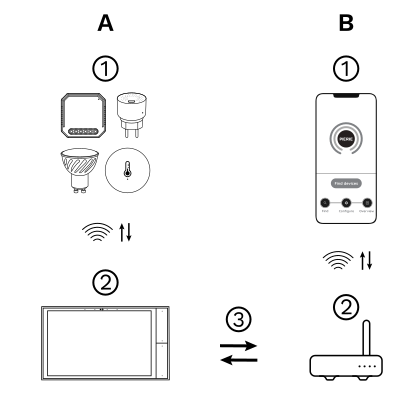
The PIERRE Wave (Zigbee 3.0, 2.4 GHz) system consists of the following components.

Required

  1. PIERRE Wave products: switches, modules, sensors, thermostats and other devices. They connect wirelessly to the gateway.
  2. Gateway: a PIERRE display and/or gateway. It links all PIERRE Wave devices and handles the communication with the app.

Optional

  1. Smart PIERRE app: control and monitoring from a smartphone or tablet. Not required for basic operation.
  2. Router: gives the gateway internet access for remote control.

Operation: the gateway connects to the router by Wi-Fi or LAN. PIERRE Wave products communicate wirelessly with the gateway in both directions: commands are sent and status updates are received through the Smart PIERRE app.

What you need

  • A PIERRE display and/or gateway for the PIERRE Wave (Zigbee 3.0, 2.4 GHz) network.
  • A permanently powered mains socket for the supplied power adapter. The detector is not battery powered.

6. Installation

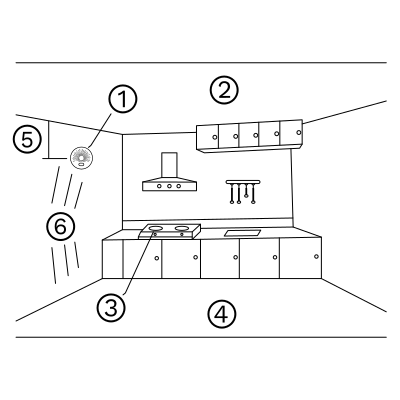
Before starting the installation, please confirm whether the gas to be detected is heavier or lighter than air.

  • If the gas is heavier than air (e.g., LPG), install the detector at a height of 0.3–1 m above the floor. The distance to the possible gas source should be less than 1.5 m.
  • If the gas is lighter than air (e.g., natural gas, manufactured gas, marsh gas), install the detector at a height of 0.3–1 m below the ceiling. The distance to the possible gas source should also be less than 1.5 m.


This ensures optimal sensitivity and reliable detection of hazardous gases.
Image
  1. Gas Detector
  2. Ceiling
  3. Gas stove
  4. Floor
  5. 0.3–1.0 m distance
  6. Max diameter 3 m

7. Alert Handling

When the concentration of natural gas or liquefied petroleum gas in the ambient air reaches or exceeds the alarm threshold, the device will automatically enter a continuous alarm state. In this situation, please follow these steps immediately:

  1. Close the pipeline valve without delay.
  2. Extinguish all sources of ignition and avoid using items that may generate sparks.
  3. Do not operate electrical appliances or switches.
  4. Open windows and doors at once to ventilate the area and allow fresh air to circulate.


8. Product testing

This product is equipped with a self-test button, and an additional self-test function is available through the mobile app. The self-test feature allows you to verify that both the alarm and the buzzer are operating correctly.

When the self-test is activated, the red LED indicator on the alarm will flash, and the buzzer will emit a beep sound to confirm proper functionality.
9. App-to-Device Pairing

Image

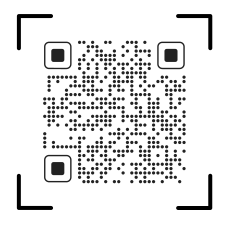
Please scan the QR code to download PIERRE application
 

Image

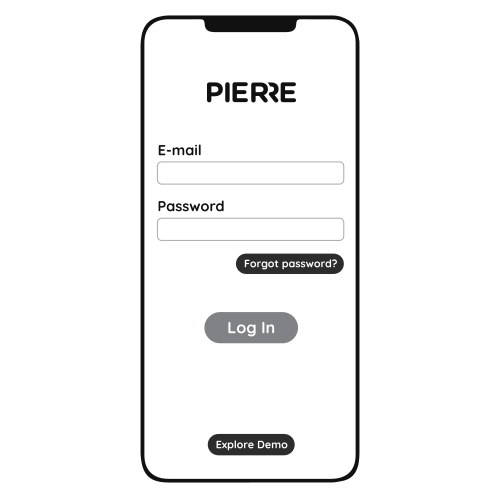
Log in with your Username and Password
 

Image

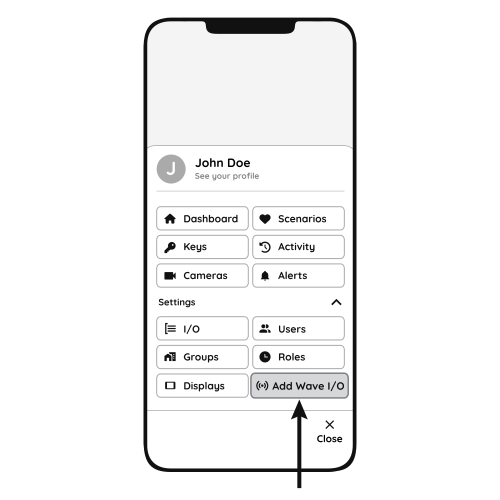
Open Settings and press "Add Wave I/O"
 

Image

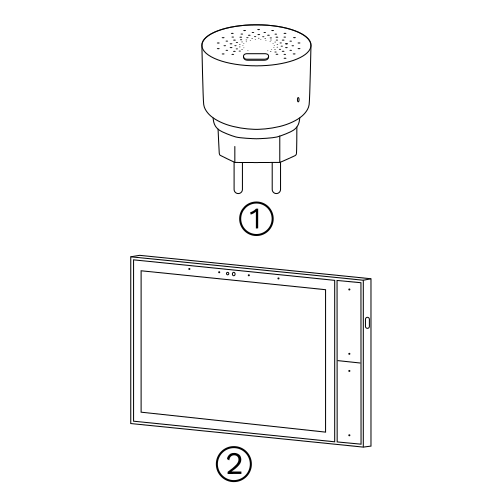
When the gas detector is powered on, the LED indicator flashes in three colours while the device initialises. After about 5 minutes the LED stays solid green: initialisation is complete.

Press and hold the Reset button with a thin object (paperclip) until the detector beeps and the indicator starts flashing, then release.

  1. Gas Detector
  2. PIERRE Wave gateway

Yellow LED flashing: the device could not connect to the gateway. Repeat the reset and try again.
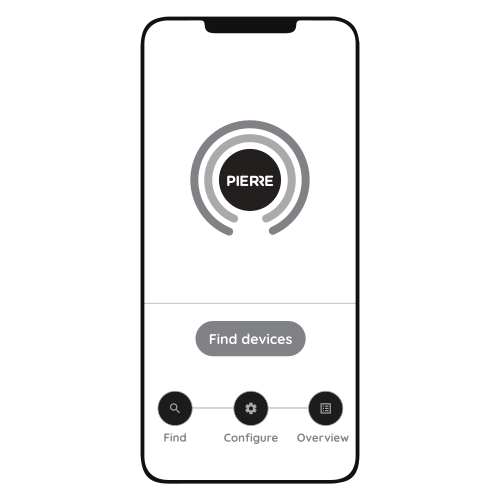
Image

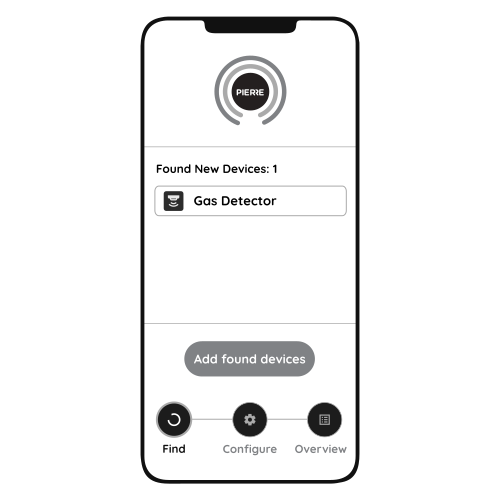
Press "Find Devices"
 

Image

PIERRE application will show the list of available devices. Press "Add found devices"
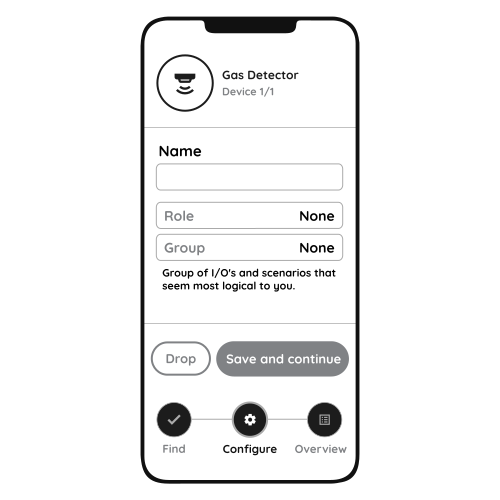
Image

Enter Name, Role and Group settings and Save it
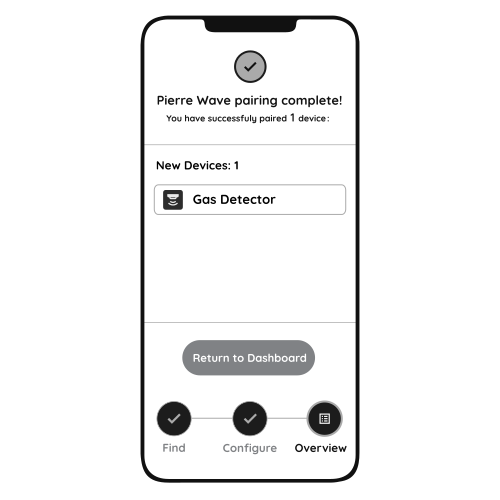
Image

When the Light indicator stops flashing, the PIERRE Wave pairing process is finished

10. Tips for Safe and Reliable Use

  1. A slight warming of the device surface during operation is normal and does not indicate a fault.
  2. When performing renovations or decoration, it is recommended to temporarily remove the device to prevent dust or debris from affecting performance.
  3. Do not spray aerosols directly onto the gas alarm, as this may damage the sensor.
  4. Long-term use may result in oil stains around the ventilation holes, which can reduce sensitivity. Clean carefully and ensure no detergent enters the sensor. Retest the device after cleaning.
  5. The semiconductor sensor inside the alarm has a service life of approximately 5 years. Replace the device once this period is exceeded.
  6. Never use an open flame (such as a lighter) to test the alarm, as this may damage the internal sensor.

11. Video

How to install and pair the gas detector. https://www.youtube.com/watch?v=PpDC8aTTG2k

12. FAQ

Q1: Why does the LED keep flashing after power-on?

This is the warm-up. If the device has not been powered for a long time, the self-test can take up to 24 hours. Do not perform a gas test during warm-up.

Q2: Why does the blue light stay on and the buzzer keep sounding?

This indicates a sensor malfunction. Contact your dealer or authorised service.

Q3: The device does not connect to the gateway. What should I do?

  1. Check that the gateway works by adding another device.
  2. If the indicator is not flashing, press and hold the reset button with a pin until the detector beeps and the indicator starts flashing, then try again.