User Manual
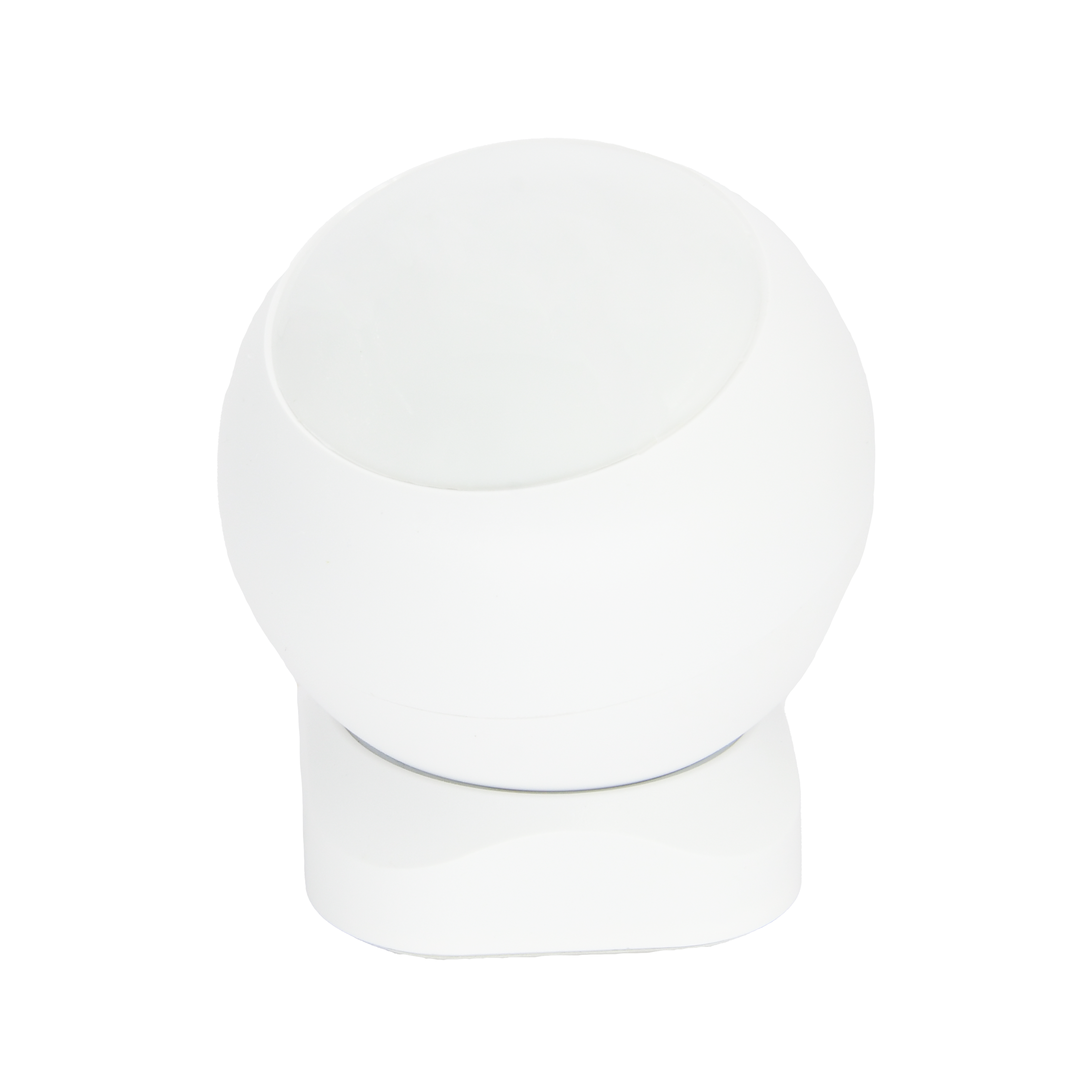
Motion Sensor
SKU: PW-SNS-MOTION1
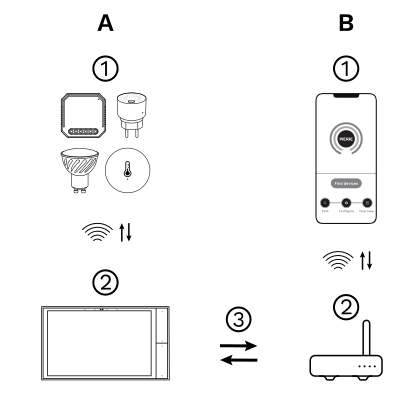
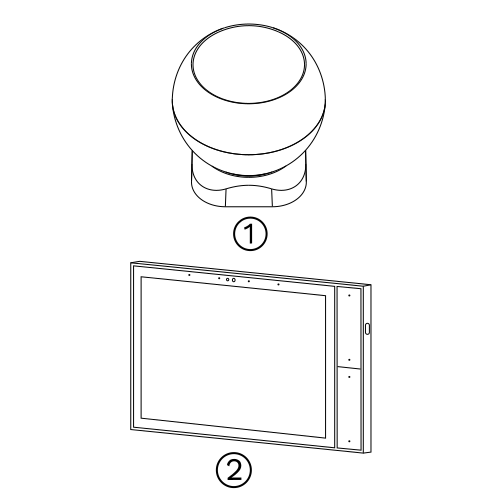
The PIERRE Wave (Zigbee 3.0, 2.4 GHz) system consists of the following components.
Required
Optional
Operation: the gateway connects to the router by Wi-Fi or LAN. PIERRE Wave products communicate wirelessly with the gateway in both directions: commands are sent and status updates are received through the Smart PIERRE app.
Zigbee gateway. Needs a PIERRE display acting as gateway or through The One gateway. Battery powered (CR123A).
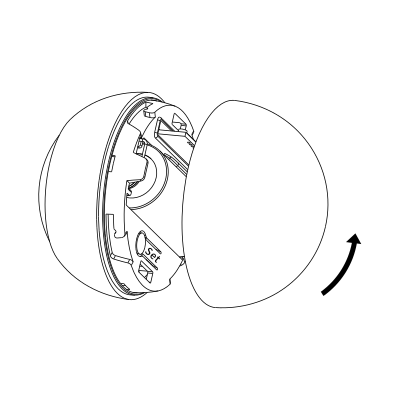
Power on the product.
Rotate the battery cover anticlockwise to open it.
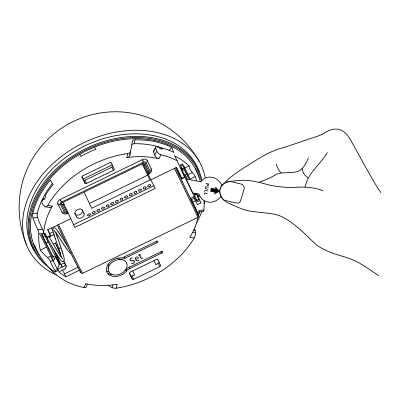
Remove battery insulation film to power on the product. The red LED will flash slowly for self-checking
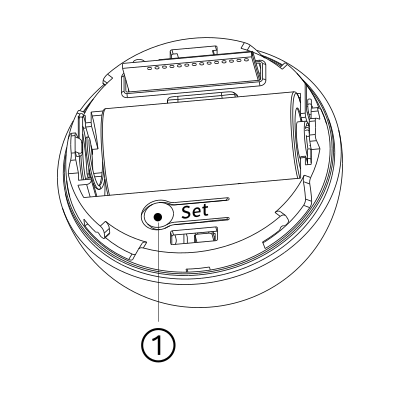
Press the reset button for 5s. The green LED will flash for network settings.
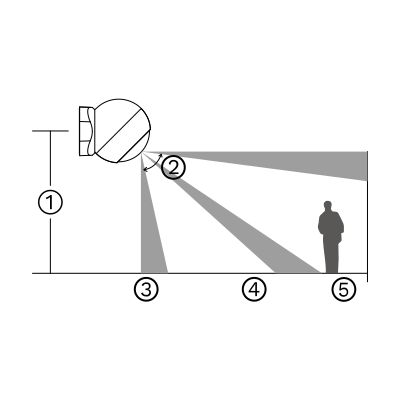
Valid detection area (side view): Up to 8 meters, with a 90° angle.
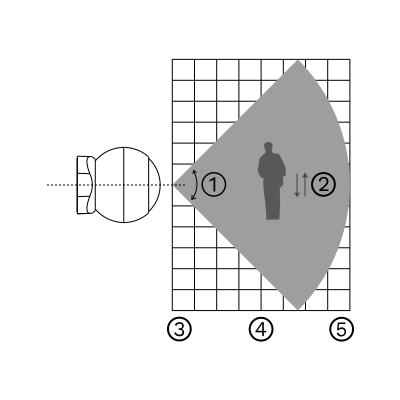
Valid detection area (top view): 90° coverage, up to 8 meters in length and 4 meters in width. The gray area indicates the valid detection zone.
Install the product where people may be detected crossing. It is recommended to install the product about 2.2 m above the ground, as shown in the figure below.
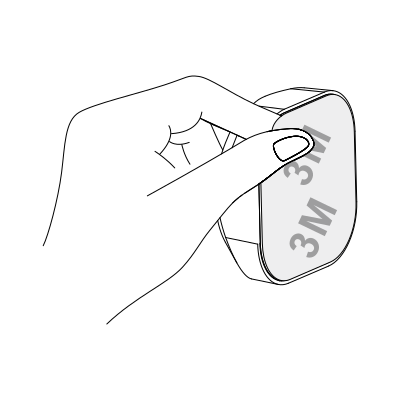
Remove the protective film from the adhesive on the base.
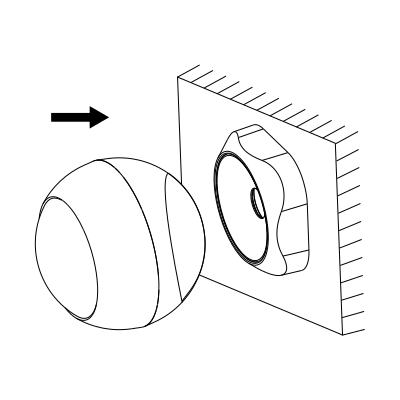
Mount the product on the magnetic base.
Note
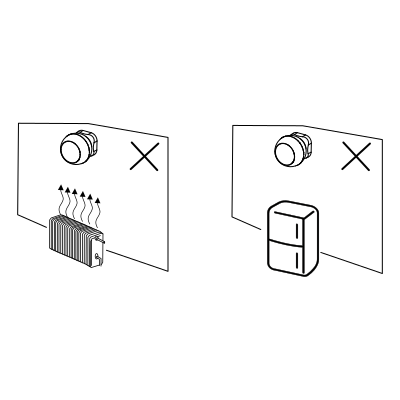
Install the product away from objects that may cause temperature changes, such as the air conditioner, fan, refrigerator, and oven.
Do not expose the product to the sun.

Please scan the QR code to download PIERRE application

Log in with your Username and Password
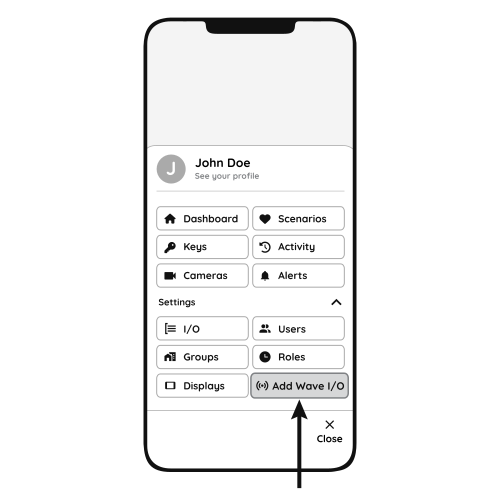
Open Settings and press "Add Wave I/O"
Press and hold the Reset Key for 5 seconds until the Indicator Light starts flashing
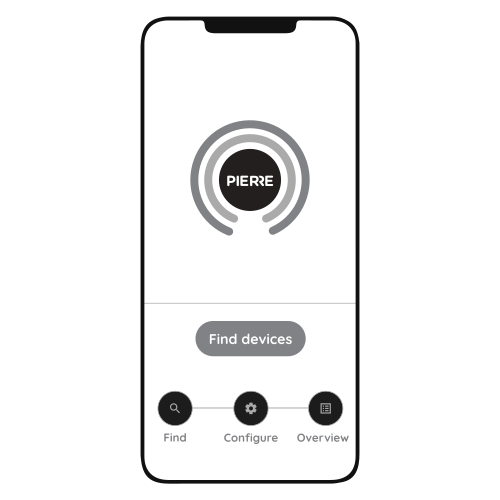
Press "Find Devices"
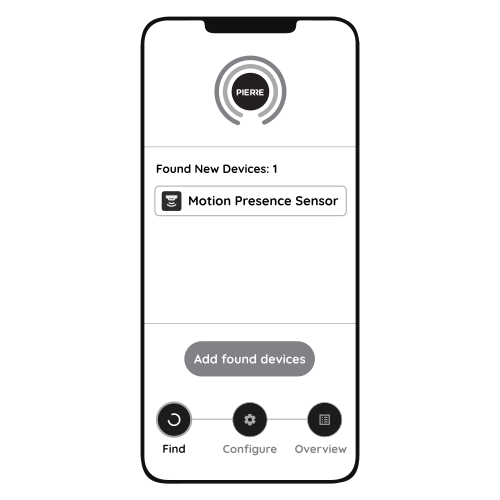
PIERRE application will show the list of available devices. Press "Add found devices"
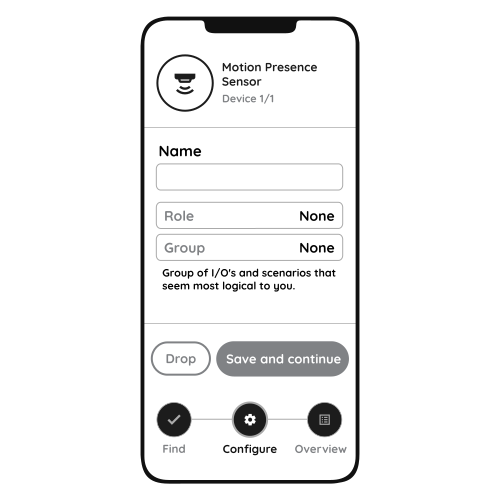
Enter Name, Role and Group settings and Save it
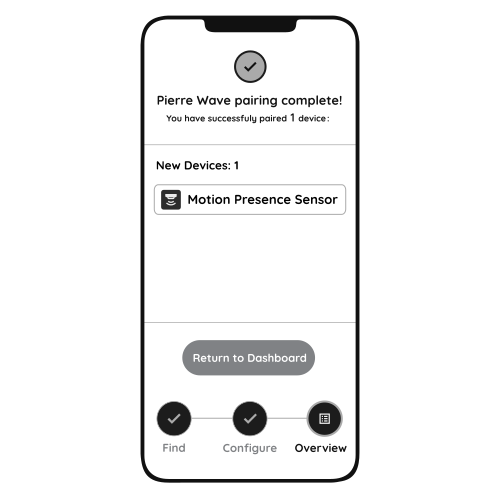
When the Light indicator stops flashing, the PIERRE Wave pairing process is finished
How to install and pair the motion sensor. https://www.youtube.com/watch?v=8K4VZ0iS8eE
How to set up an automation with the motion sensor. https://www.youtube.com/watch?v=hC1QdgfgGvU
A motion sensor detects movement and is ideal for high-traffic areas like hallways. A presence sensor detects whether a person is in the room, even if they are stationary, making it better for rooms like offices or living areas.