1. System requirements
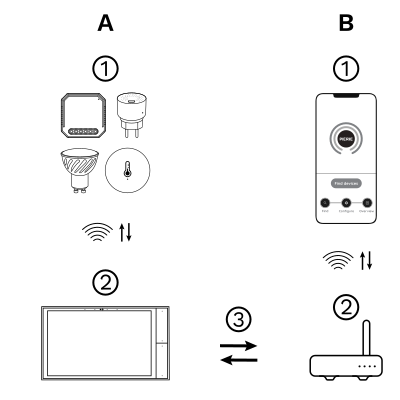
The PIERRE Wave (Zigbee 3.0, 2.4 GHz) system consists of the following components.
Required
- PIERRE Wave products: switches, modules, sensors, thermostats and other devices. They connect wirelessly to the gateway.
- Gateway: a PIERRE display and/or gateway. It links all PIERRE Wave devices and handles the communication with the app.
Optional
- Smart PIERRE app: control and monitoring from a smartphone or tablet. Not required for basic operation.
- Router: gives the gateway internet access for remote control.
Operation: the gateway connects to the router by Wi-Fi or LAN. PIERRE Wave products communicate wirelessly with the gateway in both directions: commands are sent and status updates are received through the Smart PIERRE app.
What you need
- A PIERRE display and/or gateway for the PIERRE Wave (Zigbee 3.0, 2.4 GHz) network.
- Live (L) and neutral (N) at the switch position. The switch does not work without a neutral.
- A 230 V AC blind or curtain motor with separate up and down (forward/reverse) inputs and built-in end limits, max. 200 W per gang. The motor is site-supplied.
- The Smart PIERRE app for pairing and configuration.
2. Wiring
| Run | Wires | Cross-section | Cable type | Conductors |
|---|---|---|---|---|
| From Electric box to Blind/Curtain switch | 2 | 1.5 mm² | NYM-O | L, N |
| From Blind/Curtain switch to motor 1 | 3 | 1.5 mm² | NYM-O | L up, L down, N |
| From Blind/Curtain switch to motor 2 | 3 | 1.5 mm² | NYM-O | L up, L down, N |
3. App-to-Device Pairing
Please scan the QR code to download PIERRE application
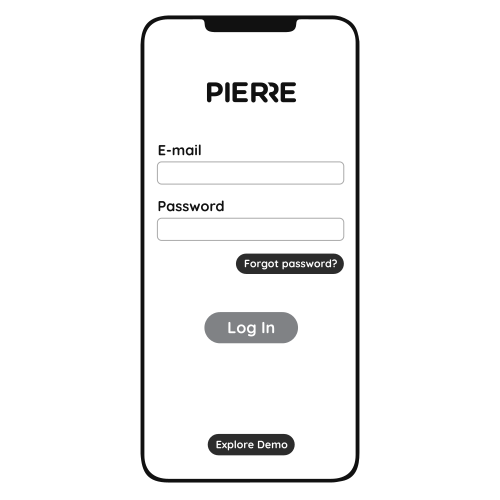
Log in with your Username and Password
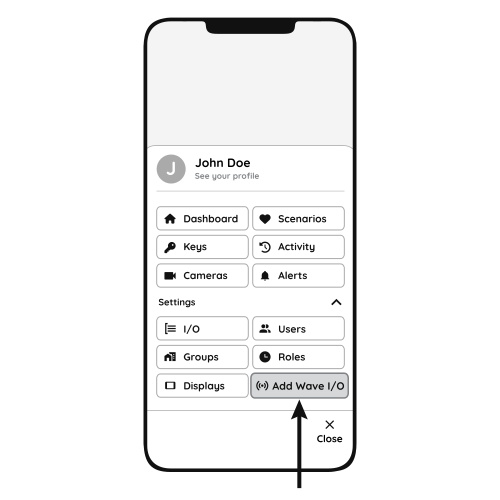
Open Settings and press "Add Wave I/O"
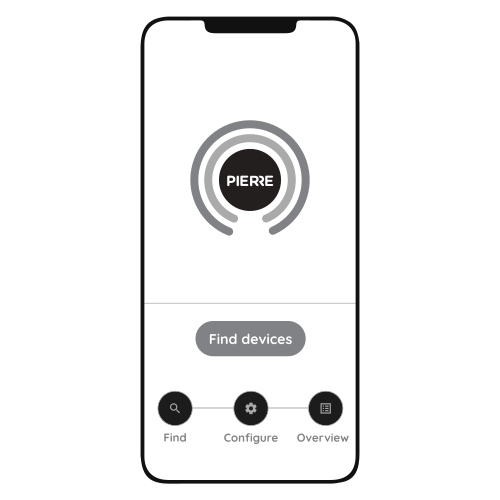
Press and hold the Reset Key for 10 seconds (use a small, thin object such as a paperclip) until the indicator light starts flashing.
Press "Find Devices". The PIERRE application will show the list of available devices. Press "Add found devices".
Enter Name, Role and Group settings and Save it.
When the indicator light stops flashing, the PIERRE Wave pairing process is finished.
4. Control and installation notes
Control
- Locally on the touch panel.
- Remotely from the mobile application.
- Through schedules, automations and scenarios.
Technical Notes
- Confirm that a neutral conductor is present at the switch position before ordering. L+N wiring is a requirement, not an option.
- Check the motor's rating against the 200 W per gang limit, and confirm it is an AC forward/reverse type.
- The motor's end limits are set on the motor by the installer; the switch does not configure end limits. The switch does need a travel-time (calibration) setting so that it can show and set the position in percent. Set it in the IO settings after pairing.
- A 2 gang model controls two separate motors. Two motors that must always move together still need to be planned as one group in the system.
- Installation is mains work and belongs to a qualified electrician.
5. Video
Video: how to install and configure a two-gang Blind/Curtain Switch. https://www.youtube.com/watch?v=pmSA6zCjb9I