User Manual
Rounded Series 1 Gang Light Switch - Black (no Neutral)
SKU: PW-SWI-L-1G-L-BLK-R
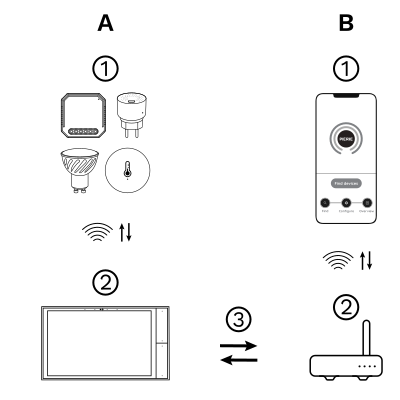
The PIERRE Wave (Zigbee 3.0, 2.4 GHz) system consists of the following components.
Required
Optional
Operation: the gateway connects to the router by Wi-Fi or LAN. PIERRE Wave products communicate wirelessly with the gateway in both directions: commands are sent and status updates are received through the Smart PIERRE app.
A PIERRE Wave (Zigbee 3.0, 2.4 GHz) gateway: a PIERRE display and/or gateway.
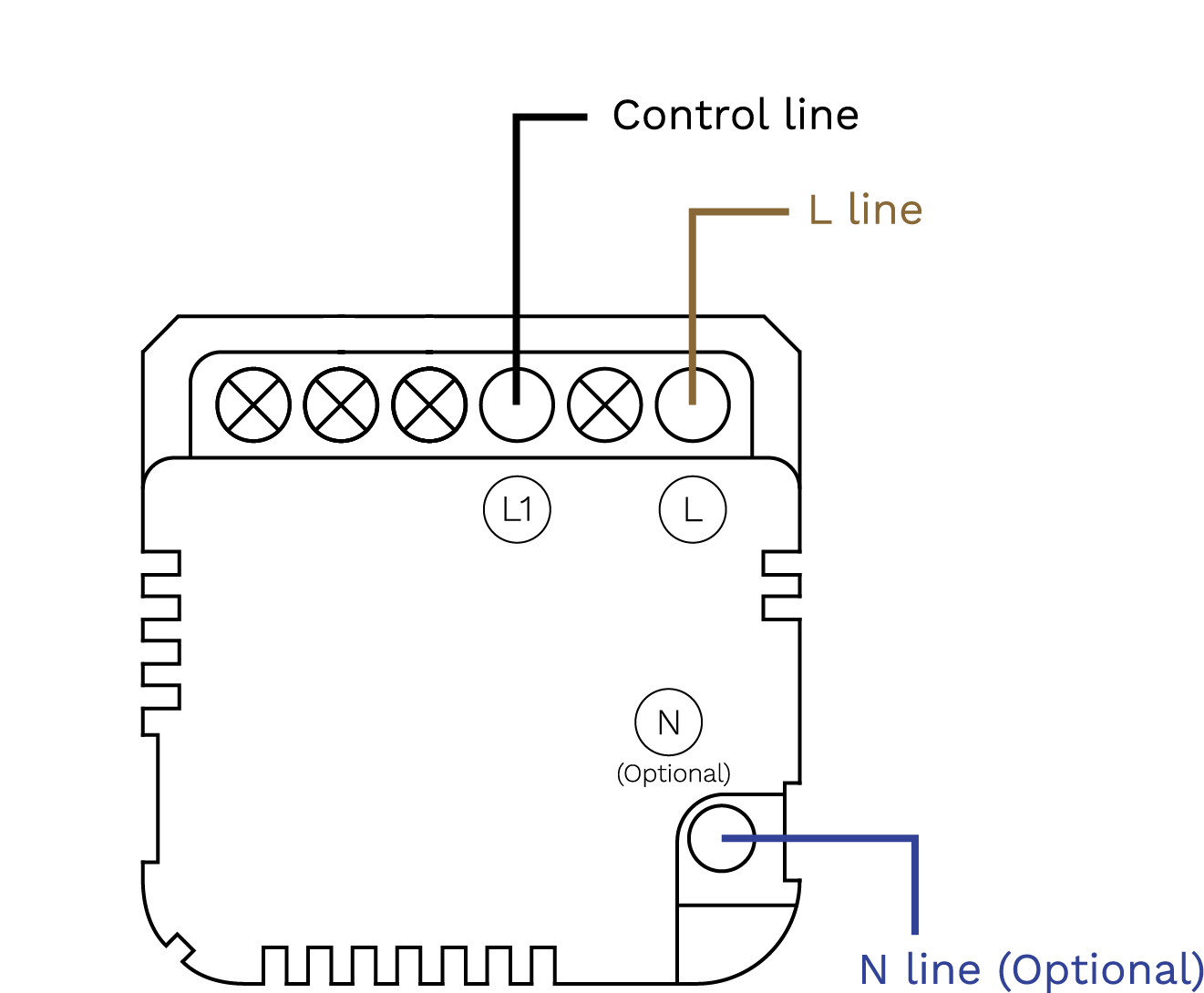
PIERRE Wave 1-gang light switch (no neutral) - wiring diagram
| Run | Wires | Cross-section | Cable type | Conductors |
|---|---|---|---|---|
| From electric box to light switch wall box | 1 | 1.5 mm² | NYM-O | L |
| From light switch to light | 1 | 1.5 mm² | NYM-O | L1 (switched live) |
Scan the QR code to download the Smart PIERRE app.
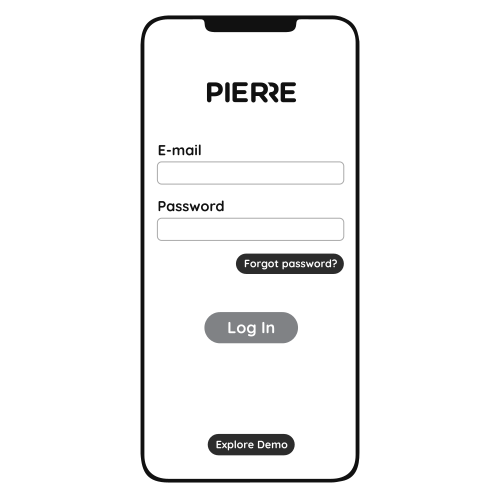
Log in with your username and password.
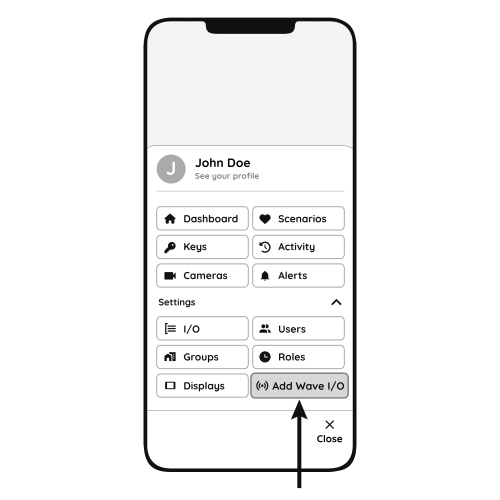
Open Settings and press "Add Wave I/O".
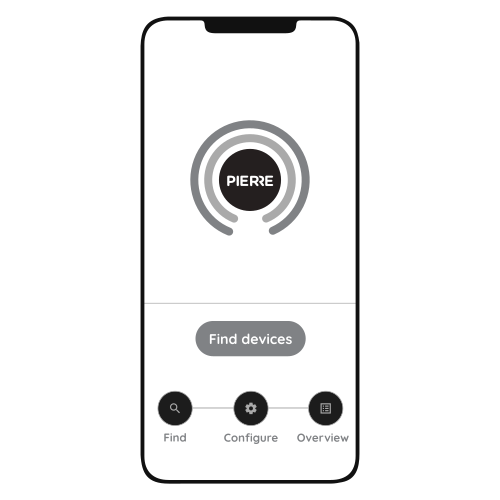
Press "Find Devices"
Video: how to install and configure a PIERRE Wave two-gang light switch. The steps are the same for the one-gang switch. https://www.youtube.com/watch?v=zXz-0DQyTSo